
Baseline > Building Description > Documentation
This article describes how to add images and relevant documents for your new or existing building.
Uploading files
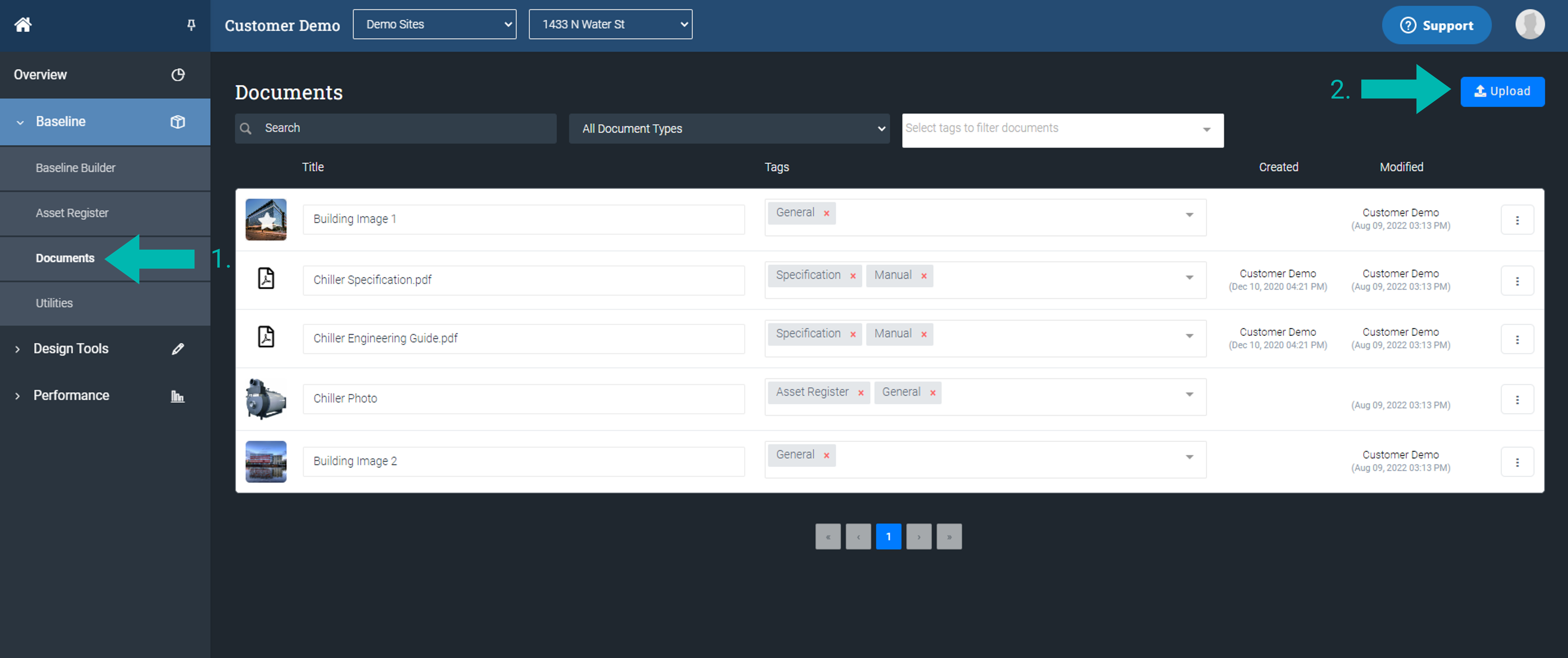
- Click on the Documents page under the Baseline section.
- Click on the Upload button located on the top right to begin uploading the files. The following file types are accepted: jpg, png, pdf, excel, word, dwg, and dxf files.
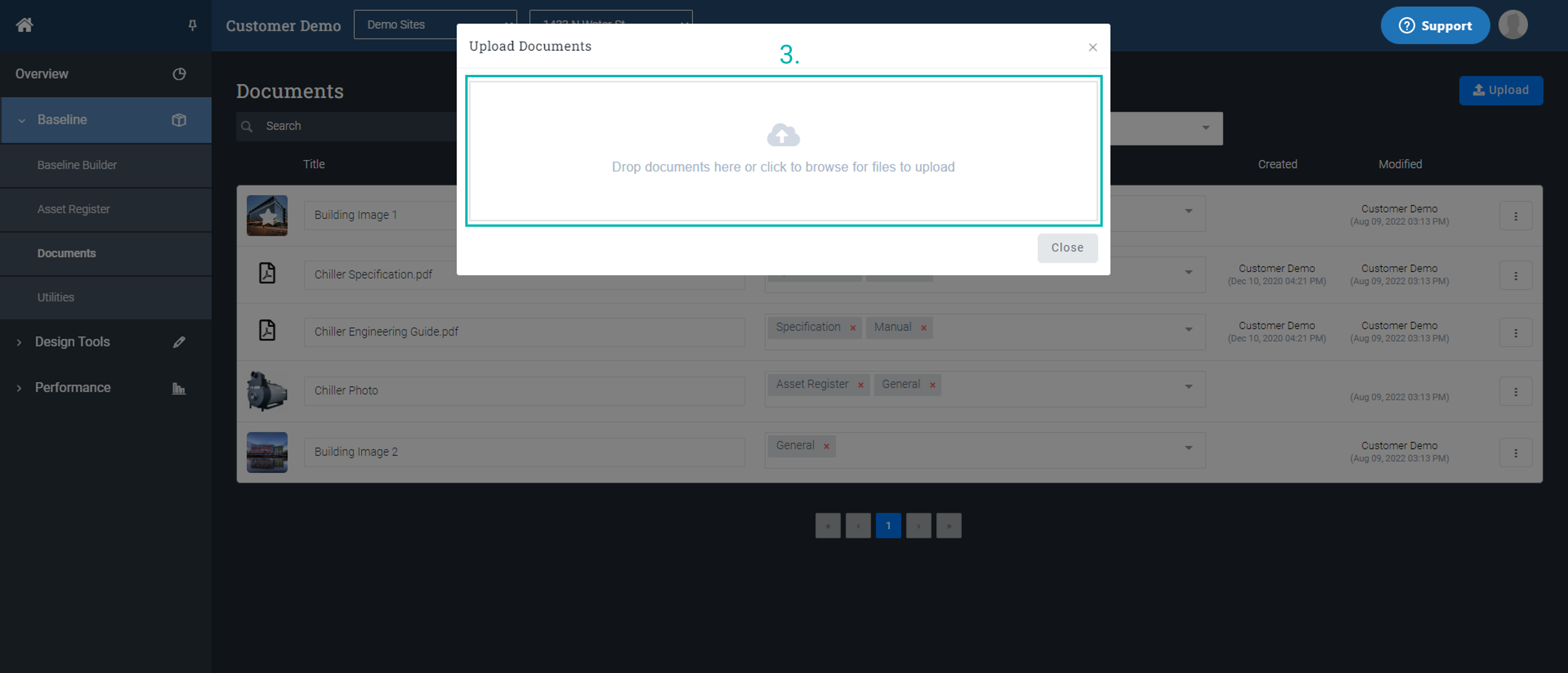
- Drag the relevant files from the local hard drive and drop them into the upload area. The files will begin uploading automatically.
Viewing images
Click on the thumbnail on the far left to View Image. This will load the image as a pop-up in the browser.

Downloading documents
- Click on the Ellipses icon.
- Then click on the Download button to begin downloading the file.

Deleting files
- Click on the Ellipses icon of the desired document.
- Next, lick on the Delete button.

- Click OK to finalise the deletion process. Or click Cancel to stop the process and return to the previous page.

Comments
0 comments
Article is closed for comments.